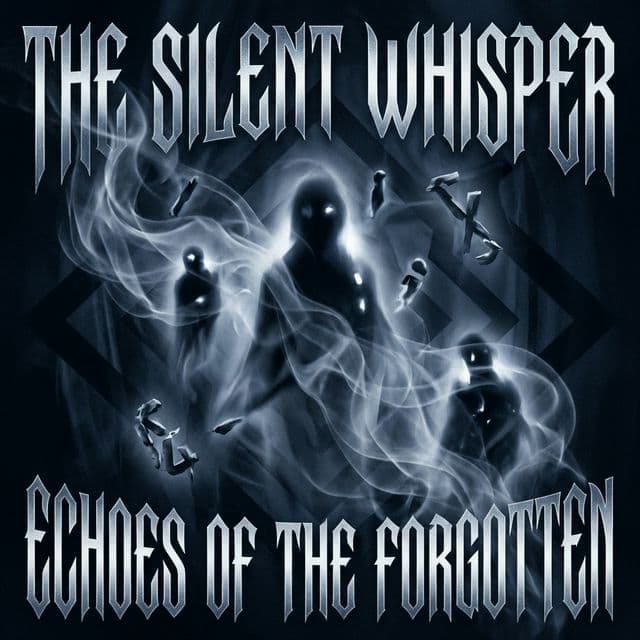
Horror Typography & Glitch Aesthetics Guide
Explore horror typography and glitch aesthetics using Unicode. Create dark, corrupted text for horror profiles, gaming, and creative projects.
Horror Typography & Glitch Aesthetics Guide
Introduction to Horror Typography & Glitch Aesthetics
Explore horror typography and glitch aesthetics using Unicode. Create dark, corrupted text for horror profiles, gaming, and creative projects.
In the ever-evolving landscape of digital communication, Horror Typography & Glitch Aesthetics stands out as a unique and fascinating way to express yourself. As we dive into 2026, standard text is no longer enough to capture attention in crowded social media feeds, Discord servers, and online communities. People are increasingly turning to specialized text generators to create distinct, eye-catching, and sometimes mind-bending typographic effects. This comprehensive guide will explore everything you need to know about Horror Typography & Glitch Aesthetics, from its deep technical underpinnings to practical applications across various platforms.
The internet has always been a place of experimentation. Since the early days of bulletin board systems (BBS) and IRC chat rooms, users have sought ways to break out of the constraints of standard ASCII text. Today, thanks to the vast expansion of the Unicode standard, we have access to tens of thousands of characters that can be combined, manipulated, and repurposed to create stunning visual effects. Horror Typography & Glitch Aesthetics is at the forefront of this digital typographic revolution, allowing anyone to transform boring standard letters into intricate digital art.
Whether you are a digital artist looking to add a unique flair to your work, a gamer wanting an intimidating username, or a social media manager trying to make your posts stop scrollers in their tracks, mastering Horror Typography & Glitch Aesthetics is an invaluable skill. In this ultimate guide, we will break down the mechanics, the history, the best practices, and the technical secrets behind creating the perfect Horror Typography & Glitch Aesthetics.
The Fascinating History and Origins
To truly appreciate Horror Typography & Glitch Aesthetics, we must look back at the history of digital text encoding. Before the widespread adoption of Unicode, computers relied on limited character sets like ASCII, which only included 128 characters—barely enough for standard English letters, numbers, and basic punctuation. Early attempts at text art, such as ASCII art, relied on clever arrangements of these limited characters to create larger images.
However, as the internet became global, there was a pressing need for a universal character encoding standard that could represent the text of all the world's writing systems. This led to the creation of Unicode. The developers of Unicode didn't just add new letters; they introduced complex rendering rules, combining diacritical marks, and thousands of specialized symbols for mathematics, linguistics, and historical scripts.
It didn't take long for creative internet users to realize that these Unicode features could be "abused" or repurposed for aesthetic effect. By combining characters in ways they were never intended to be used—such as stacking dozens of diacritical marks on a single letter, or swapping standard letters for visually similar mathematical symbols—the foundation for Horror Typography & Glitch Aesthetics was laid. The communities on platforms like Tumblr, Reddit, and 4chan played a massive role in popularizing these techniques, evolving them from obscure technical glitches into mainstream digital aesthetics.
Today, Horror Typography & Glitch Aesthetics represents the culmination of decades of internet culture. It is a perfect example of how human creativity can subvert technological standards to create something entirely new and unexpected. The styles we associate with cyberpunk aesthetics, VHS tracking errors, digital decay, matrix text are now deeply embedded in the visual language of the web.
Deep Dive: How Does Horror Typography & Glitch Aesthetics Work Technically?
At its core, Horror Typography & Glitch Aesthetics relies on the incredible flexibility—and sometimes the vulnerabilities—of the Unicode standard and modern text rendering engines. Let's break down the technical magic happening behind the scenes when you use a Horror Typography & Glitch Aesthetics generator.
Unicode Combining Marks
The secret weapon of many extreme text styles (especially Cursed and Zalgo text) is the use of "combining diacritical marks." In normal languages, a diacritic is a mark added to a letter to alter its pronunciation, like the acute accent in the French word "café". In Unicode, these marks are treated as separate characters (e.g., U+0301) that mathematically "combine" with the preceding base character.
The crucial technical detail is that the Unicode specification does not enforce a hard limit on how many combining marks can be attached to a single base character. A Horror Typography & Glitch Aesthetics generator exploits this by attaching 10, 20, or even 50 combining marks to a single letter. These marks stack vertically, both upwards and downwards, bleeding into the lines above and below the text.
Mathematical Alphanumeric Symbols
Another major component of Horror Typography & Glitch Aesthetics is character substitution. Unicode includes a massive block known as "Mathematical Alphanumeric Symbols" (U+1D400–U+1D7FF). This block was created so that mathematicians could use specific font styles (like bold, italic, fraktur, or script) as distinct mathematical variables, regardless of the font the reader was using.
Generators map standard keyboard letters to these mathematical symbols. When you type "Hello" and it transforms into a Gothic or Script style, the generator is actually replacing your standard Latin letters with these specialized Unicode code points. Because these are entirely different characters, the style persists when you copy and paste the text anywhere on the internet.
Fullwidth Characters and Spacing
For vaporwave, aesthetic, and glitch styles, generators often use "Halfwidth and Fullwidth Forms" (U+FF00–U+FFEF). These characters were originally introduced for compatibility with legacy East Asian character encodings, where Latin letters needed to take up the same horizontal space as a Chinese or Japanese ideograph. Using fullwidth characters results in unnaturally wide, uniform spacing that creates a distinctly retro, computing-era vibe perfectly aligned with cyberpunk aesthetics, VHS tracking errors, digital decay, matrix text.
Step-by-Step Guide: Mastering the Horror Typography & Glitch Aesthetics Generator
Using a text generator might seem incredibly simple, but getting the absolute best results requires a bit of finesse. Here is your step-by-step masterclass on creating the ultimate Horror Typography & Glitch Aesthetics.
Step 1: Input Optimization
Start by typing your base text into the input field. For the best results, keep your initial text relatively short, especially if you are applying heavy distortion. Words between 5 to 15 characters often produce the most visually appealing results. If your text contains numbers or special punctuation, be aware that some Unicode substitutions might skip these characters if an equivalent doesn't exist in the target Unicode block.
Step 2: Adjusting the Intensity
Many advanced generators offer an "intensity" or "craziness" slider, particularly for styles involving stacked diacritics.
- Low Intensity: Perfect for subtle aesthetic touches. The text remains highly readable but gains a distinct, edgy flavor. Great for long bios or tweet bodies.
- Medium Intensity: The sweet spot for usernames and short titles. The text begins to bleed and distort, grabbing attention without becoming completely illegible.
- Maximum Intensity: Total chaos. The text will expand massively in vertical size, overlapping adjacent UI elements on most websites. Use this sparingly for shock value or in specific artistic contexts.
Step 3: Copying and Pasting Effectively
Once your text is generated, click the copy button. However, simply pasting it isn't always foolproof. Some applications might try to strip rich formatting. Because Horror Typography & Glitch Aesthetics relies on raw Unicode characters rather than rich text formatting (like HTML bold or italics), it should survive being pasted almost anywhere. If you encounter issues, try pasting the text into a plain text editor (like Notepad or TextEdit) first, and then copying it again to strip out any hidden application-specific formatting.
Platform Compatibility Breakdown (2026 Update)
Not all websites render Horror Typography & Glitch Aesthetics the same way. The appearance of your text depends entirely on the application's font rendering engine and security sanitization rules. Here is how Horror Typography & Glitch Aesthetics performs across the major platforms today.
Discord
Discord remains the absolute best platform for Horror Typography & Glitch Aesthetics. Its modern electron-based client and custom GG Sans font engine handle Unicode combining marks and obscure character blocks exceptionally well.
- Usernames: Highly effective. Cursed and distorted text in a colored role name looks incredible.
- Channel Names: You can use substituted characters to create aesthetic channel lists, though some very complex marks might be stripped to keep the UI clean.
- Messages: Discord allows massive vertical overflow, meaning heavy diacritic stacking will bleed into the messages above and below yours.
Instagram has a love-hate relationship with Horror Typography & Glitch Aesthetics.
- Bios: You can use these characters, but Instagram enforces strict character limits. Remember that a single letter with 10 combining marks counts as 11 characters. A heavily distorted word can instantly consume your entire 150-character bio limit.
- Captions and Comments: Generally renders well, though the mobile app may clip extreme vertical overflow to keep the timeline readable.
X (formerly Twitter)
X's rendering varies wildly between the web client, the iOS app, and the Android app.
- Display Names: This is the most popular place for Horror Typography & Glitch Aesthetics. It usually renders perfectly and stands out beautifully in the timeline.
- Tweets: X has aggressive character counting. While it supports Unicode, the display algorithms often trim extreme vertical overflow to prevent "troll" posts from dominating the feed.
TikTok
TikTok's user interface is highly condensed and optimized for video.
- Usernames/Bios: Stick to mathematical substitutions (like Gothic or cursive) rather than heavy combining marks. TikTok's aggressive UI clipping will cut off vertically stacked text, making it look like a broken mistake rather than an intentional aesthetic choice.
Gaming Platforms (Steam, Xbox, PlayStation)
Support here is very hit-or-miss. Many games use proprietary bitmap fonts or highly restricted font files that simply do not contain the glyphs needed to render Horror Typography & Glitch Aesthetics. In these cases, the text will appear as empty boxes (known as "tofu") or question marks. Always test your name in the game's actual lobby to verify it works.
The Psychology and Aesthetics: Why Do We Love Horror Typography & Glitch Aesthetics?
Why are millions of people intentionally making their text harder to read? The appeal of Horror Typography & Glitch Aesthetics is deeply rooted in modern digital psychology and the evolution of internet aesthetics.
The Subversion of Perfection
We live in an era of pristine UI design. Everything from Apple's iOS to Google's Material Design is focused on clean lines, perfect kerning, and absolute readability. Horror Typography & Glitch Aesthetics is a direct rebellion against this corporate sterility. By intentionally introducing glitches, corruption, and chaos into our text, we are reclaiming a sense of digital punk, injecting humanity and unpredictability back into the machine.
Attention Economy
In a timeline filled with thousands of identical standard-font posts, the human eye becomes blind to normal text. Horror Typography & Glitch Aesthetics acts as a visual pattern interrupt. When scrolling through a feed, a sudden burst of corrupted or unusual characters forces the brain to pause and process what it's seeing. This split-second pause is everything in the attention economy.
Identity and Subculture Signaling
Using specific text styles signals belonging to certain subcultures. The use of heavy, bleeding text signals an affinity for horror, edgy internet culture, or digital chaos. The use of widely spaced, clean fullwidth text signals an appreciation for vaporwave, retro-tech, and calm aesthetics. Horror Typography & Glitch Aesthetics is digital fashion; it's a way of wearing your subculture on your sleeve.
Accessibility and Ethical Considerations
While Horror Typography & Glitch Aesthetics is visually striking, it carries a significant cost regarding digital accessibility. It is absolutely crucial to understand how these text styles impact users with disabilities.
The Screen Reader Nightmare
Visually impaired users navigate the internet using screen readers (like JAWS, NVDA, or VoiceOver), which read the text on the screen aloud. When a screen reader encounters standard text, it reads it smoothly. But when it encounters Horror Typography & Glitch Aesthetics, disaster strikes.
For example, if you use a mathematical bold cursive "A" (U+1D4D0), the screen reader will not say "A". It will say "Mathematical bold script capital A". If you use combining marks, the screen reader will attempt to read the Unicode name of every single mark. A single heavily distorted word can take a screen reader over a minute to describe, sounding like absolute gibberish and completely blocking the user from understanding your content.
Best Practices for Ethical Use
To be a responsible digital citizen while still enjoying Horror Typography & Glitch Aesthetics, follow these rules:
- Never use it for critical information: Do not use these fonts for important announcements, contact info, or emergency updates.
- Provide Plain Text Alternatives: If you use a stylized name on social media, consider putting your plain text name in your bio.
- Use Sparingly: Limit your use of Horror Typography & Glitch Aesthetics to short visual elements, titles, or decorative accents rather than entire paragraphs of text.
- Avoid in Alt Text: Never use stylized text inside image alt-text descriptions.
Advanced Techniques and Creative Implementations
Ready to take your Horror Typography & Glitch Aesthetics game to the next level? Here are some advanced techniques used by power users and digital artists.
The "Sandwich" Technique
Combine different Unicode blocks for maximum impact. Start a username with a Gothic symbol, use fullwidth characters for the middle, and end with another Gothic symbol. By sandwiching styles, you create a symmetrical, highly customized look that standard generators can't produce on their own.
Controlled Glitching
If you are using a tool that adds combining marks, manually copy and paste specific marks instead of letting an algorithm randomize them. For instance, only use "overlay" marks (like U+0336 Combining Long Stroke Overlay) to create a perfect "strike-through" glitch effect without the vertical mess.
Combining with Kaomoji
Japanese emoticons (Kaomoji) like (ノ◕ヮ◕)ノ*:・゚✧ already use diverse Unicode characters. Combining Horror Typography & Glitch Aesthetics with Kaomoji creates highly expressive, dynamic text art that conveys both complex emotion and aggressive aesthetic styling.
Troubleshooting: Why Isn't My Text Working?
Even with the best tools, you might run into issues. Here is how to fix the most common Horror Typography & Glitch Aesthetics problems.
The "Empty Boxes" Problem (Tofu)
If you paste your text and see empty boxes or question marks, this is an issue called "tofu." It means the font currently being used by your browser or app does not contain the visual instructions (glyphs) for the specific Unicode characters you used.
- Fix: There is no direct fix you can perform on the text itself. The platform needs to update its font fallback stack. Stick to more common Unicode blocks (like standard diacritics) rather than rare or newly added blocks.
The "Missing Letters" Problem
If you apply heavy distortion and some of your base letters simply disappear, the application's text rendering engine has likely crashed or aborted rendering for that specific character cluster due to complexity.
- Fix: Reduce the intensity of the effect. Use fewer combining marks per character.
Text Lagging the App
If opening a chat or viewing a bio causes your phone or browser to freeze for a second, you have overloaded the rendering engine. Calculating the pixel placement for hundreds of overlapping combining marks requires significant CPU power.
- Fix: Be considerate. Reduce the number of marks. Maliciously sending thousands of stacked characters to crash someone's app is a known exploit (often called text bombs) and can get you banned from platforms like Discord or WhatsApp.
Frequently Asked Questions (FAQ)
Q: Is using Horror Typography & Glitch Aesthetics illegal or against terms of service? A: Generating and using the text is not illegal. However, if you use extreme, heavily stacked text to intentionally crash a platform or lag other users' devices, that violates the Terms of Service of almost all major platforms and will result in a ban.
Q: Why does my text look different on my phone than on my computer? A: Apple iOS, Google Android, Windows, and macOS all use completely different default fonts and text rendering algorithms. A character that looks like a spooky glitch on Windows might look like a neat stack of symbols on a Mac.
Q: Can Horror Typography & Glitch Aesthetics boost my SEO or social media algorithm performance? A: Directly? No. Search engine algorithms and social media bots read the raw text. In fact, if you use mathematical substitutions, Google might not understand what the word is, hurting your SEO. However, indirectly, the visual appeal can drastically increase your Click-Through Rate (CTR) and engagement, which will boost your algorithmic performance.
Q: How do I remove the formatting if I change my mind? A: Because these are actual unique characters and not just a "font style", you cannot simply highlight it and click "remove formatting." You must either use an online text normalizer tool or retype the text manually.
Q: Does Horror Typography & Glitch Aesthetics work in programming or coding? A: Technically yes, you can use these characters in strings or comments in modern languages that support UTF-8 (like Python, JS, or HTML). However, NEVER use them in variable names or critical code infrastructure, as they can cause invisible parsing errors and compiler crashes.
Q: Is there a limit to how long my text can be? A: The generator doesn't have a limit, but the platform you paste it into does. Remember that distorted text multiplies your character count. A 10-letter word could equal 100 characters of data.
Q: Can I use this in my professional resume or LinkedIn? A: It is highly advised against. Automated Applicant Tracking Systems (ATS) will fail to read the substituted characters, and it presents major accessibility issues. Keep your professional documents in standard text.
Q: How are new Horror Typography & Glitch Aesthetics styles created? A: They rely on the Unicode Consortium adding new character blocks. Every year, new symbols and characters are added to the Unicode standard, giving creators new raw materials to build text generators.
Q: Are there any safe ways to use Horror Typography & Glitch Aesthetics without breaking accessibility? A: Use styles that don't substitute characters or add heavy marks, such as simple spacing modifications. Alternatively, limit use to decorative elements where the literal reading of the text isn't necessary for context.
Q: What is the most universally supported style? A: Small text (using superscript/subscript characters) and basic Zalgo/Cursed text with very low intensity (1-2 marks per character) have the highest cross-platform compatibility.
The Future of Text Manipulation
As we move forward, the relationship between human expression and text encoding will only become more complex. The Unicode Consortium continually adds new characters to support historical languages and modern symbols. Every new addition is a potential new tool for Horror Typography & Glitch Aesthetics generators.
Furthermore, as web browsers and mobile operating systems improve their rendering engines, they become better at handling extreme text stacking without crashing. This means the visual limits of what we can create are constantly expanding. What crashes an iPhone today might render beautifully as a complex, swirling mass of digital art on the iPhone of tomorrow.
The phenomenon of Horror Typography & Glitch Aesthetics proves that users will always find ways to bend technology to suit their need for creative expression. It turns the rigid, mathematical structure of text encoding into a canvas for digital anarchy, aesthetic nostalgia, and personal branding.
Conclusion
Mastering Horror Typography & Glitch Aesthetics gives you a unique edge in the digital world. You now understand not just how to copy and paste funny letters, but the deep technical mechanisms of Unicode, the history of digital aesthetics, and the ethical responsibilities of using accessible text.
Whether you are crafting the perfect cursed Discord status, designing a vaporwave album cover, or just trying to make your friends double-take in a group chat, you have all the knowledge you need. Embrace the chaos, respect the accessibility rules, and let your digital typography stand out from the crowd.
Try These Tools
Comments
Commenting is not yet available. We're working on it.